Your LinkedIn export never leaves your browser. See who is really in your network.
Drop in your LinkedIn data export and get your seniority mix, inferred industries, company concentration, growth timeline, a prospect list you can export and a manager summary. Try it on demo data for free, then unlock your own readout for $49.
Included with LinkedIn Intelligence. Works on a computer or phone; getting the export from LinkedIn needs a computer.
Private by design
- Read in your browser. Your .zip or CSV is opened and analysed on your own device. It is never uploaded to Cashewleads or anyone else.
- No third-party scripts. The tool page loads its charts, fonts and file readers from cashewleads.com only, with no analytics or trackers.
- Locked down. The page's Content-Security-Policy allows two requests: a check that your account has unlocked the readout (no LinkedIn data), and the optional tips sign-up, which sends only the email, name and company you type.
- Gone on reload. Nothing is saved. Message text, subjects and invitation notes are discarded as the files load and never shown.
One export, three ways to use it
Sellers
See which target accounts you already have relationships in, who the senior people are and export a starting list for outreach.
Creators and influencers
Know who your audience really is: how senior, which industries, and which well-known companies carry your posts furthest.
Sales leaders
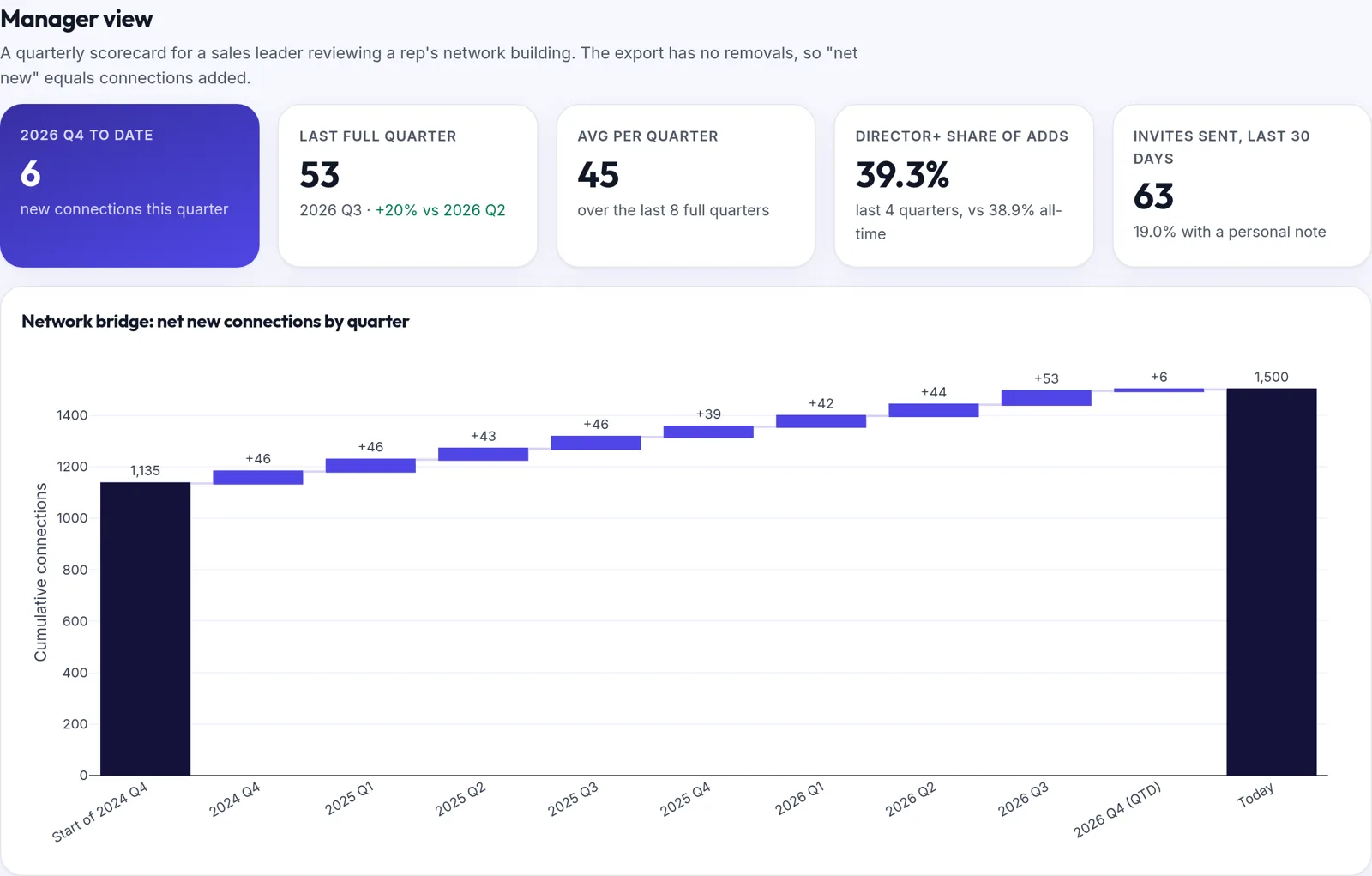
Use the manager view to review how a rep's network is growing each quarter, and whether it is moving toward the buyers you sell to.
A full readout in about five minutes
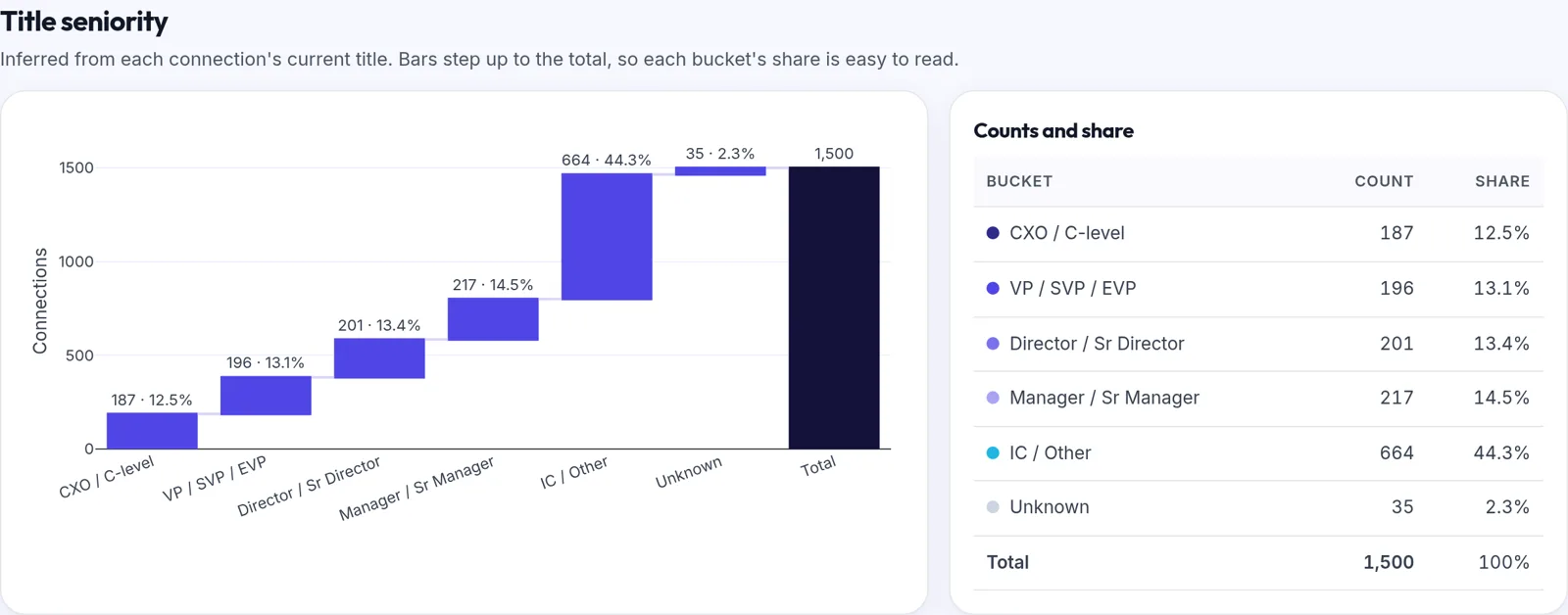
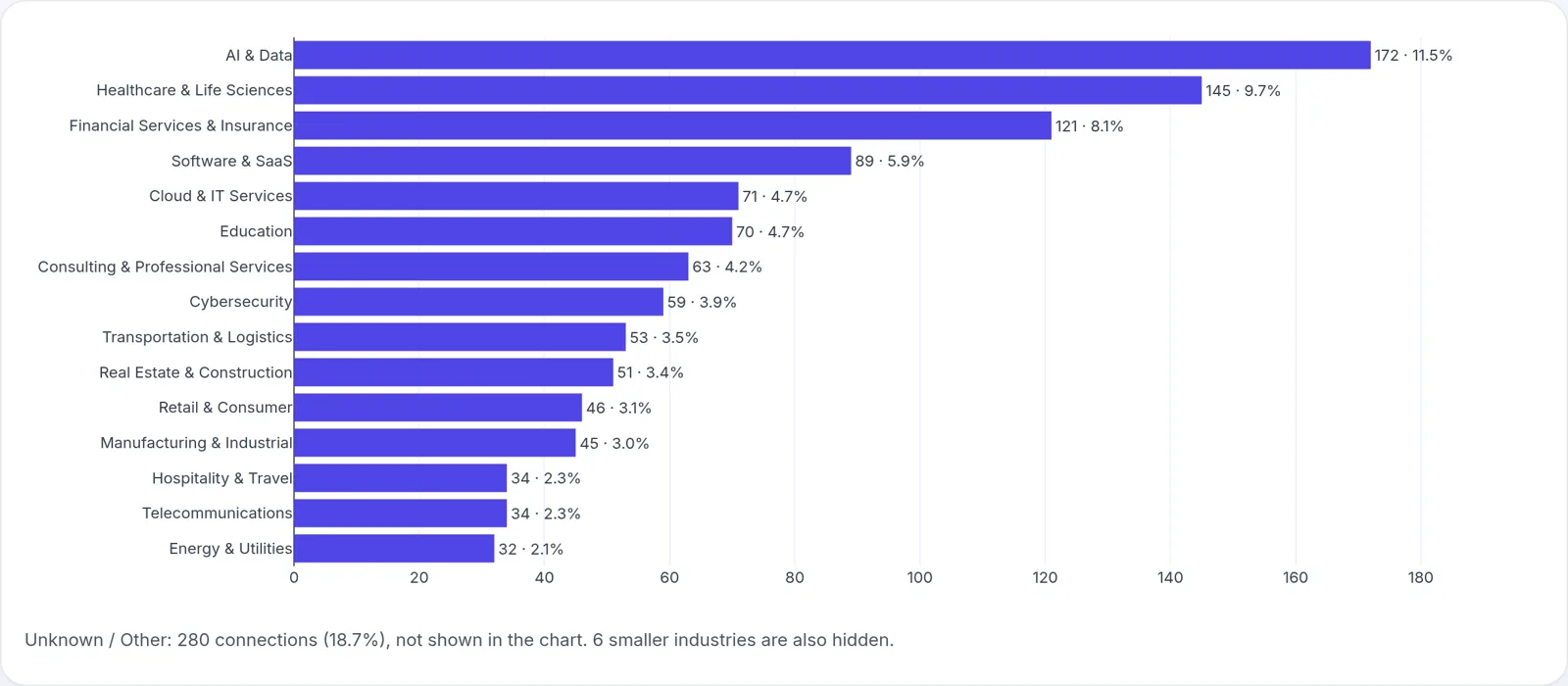
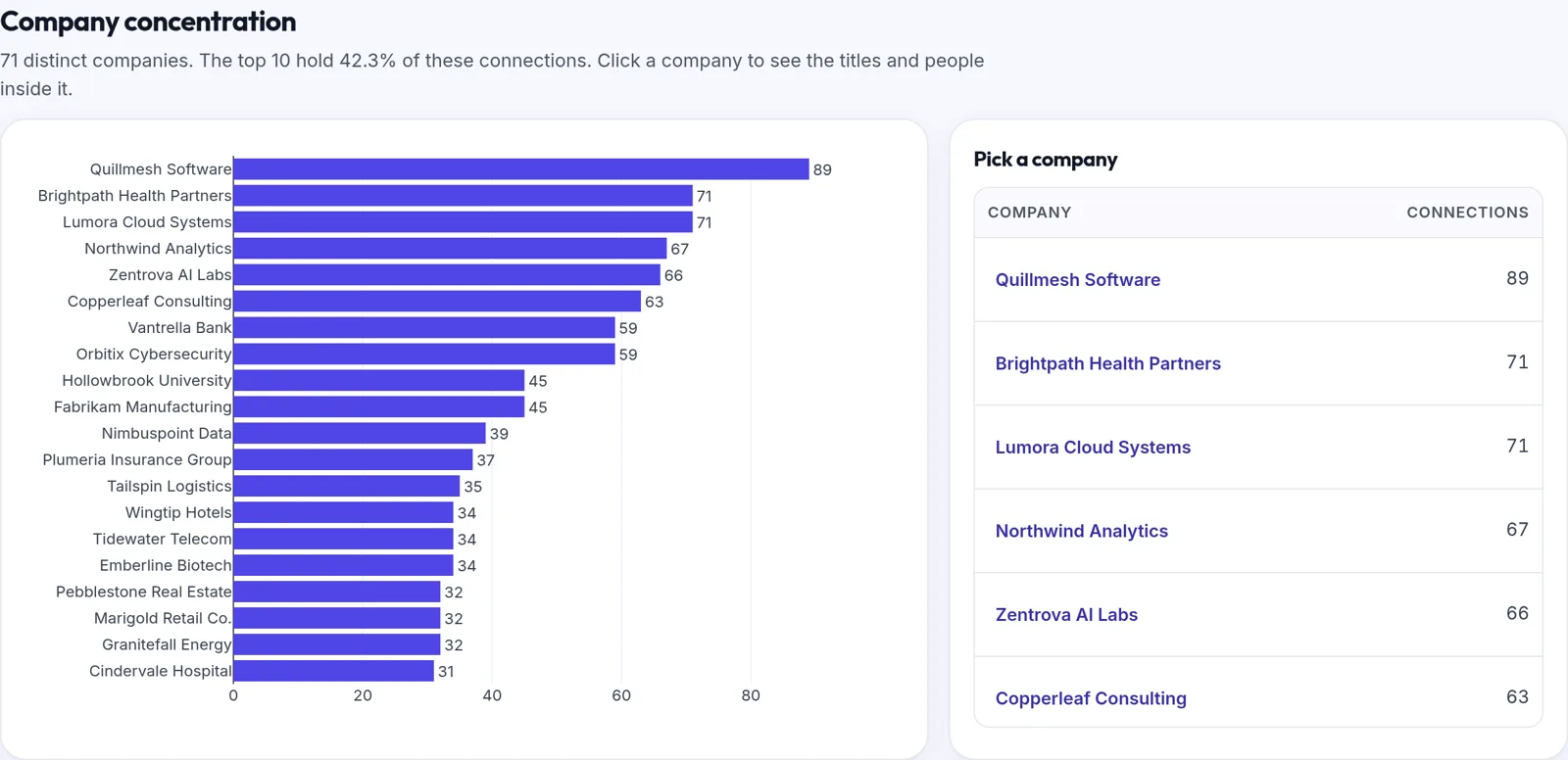
Screenshots below use fictional demo data. Every person and company in them is made up.
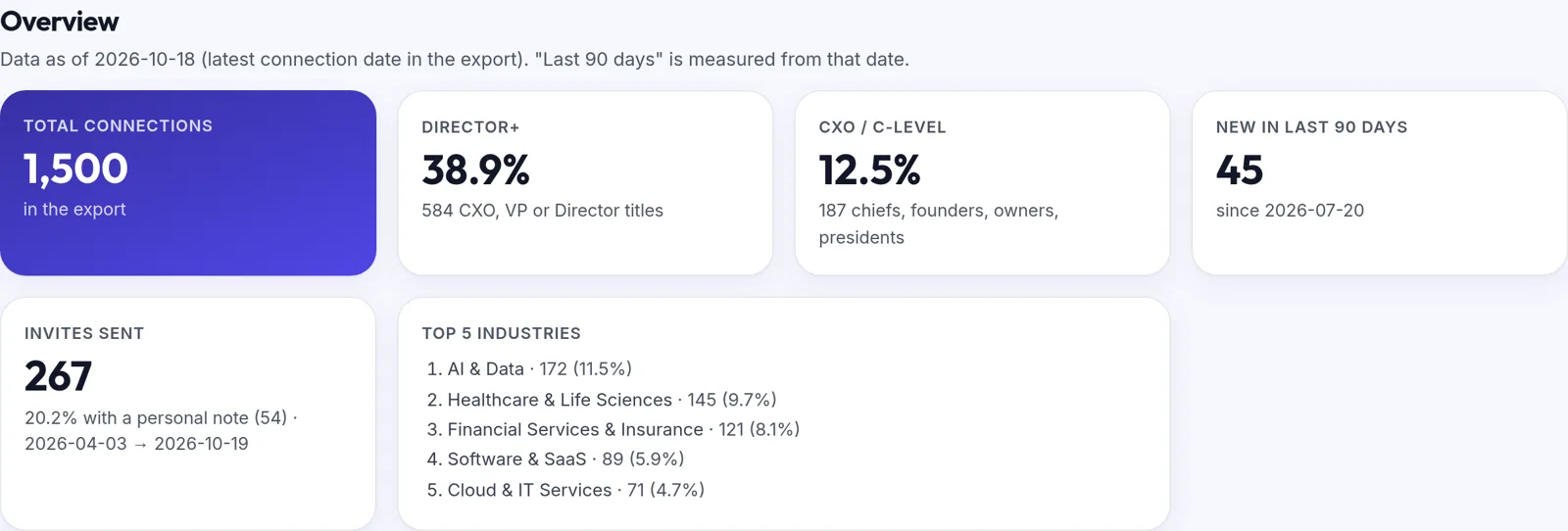
Seniority mix
Every connection's current title sorted into CXO, VP, Director, Manager, IC or Unknown, shown as a waterfall with counts and shares.
Inferred industries
LinkedIn's export has no industry field, so we infer one from company names and strong title cues. Click an industry to filter everything.
Company concentration
The companies you know the most people at, and the titles inside each one. Useful for picking accounts where you already have a way in.
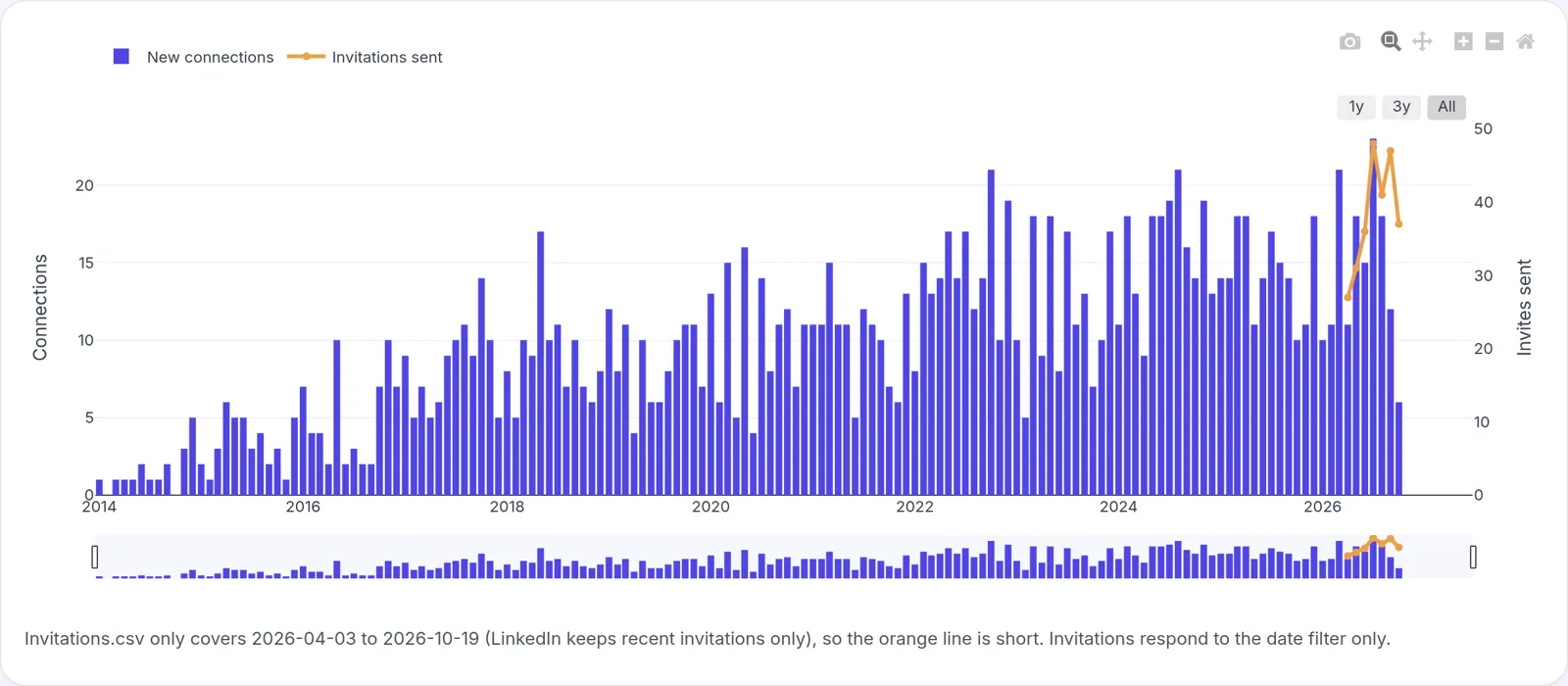
Growth timeline
Connections added per month, the share that are Director or above, and how your seniority mix has changed over time.
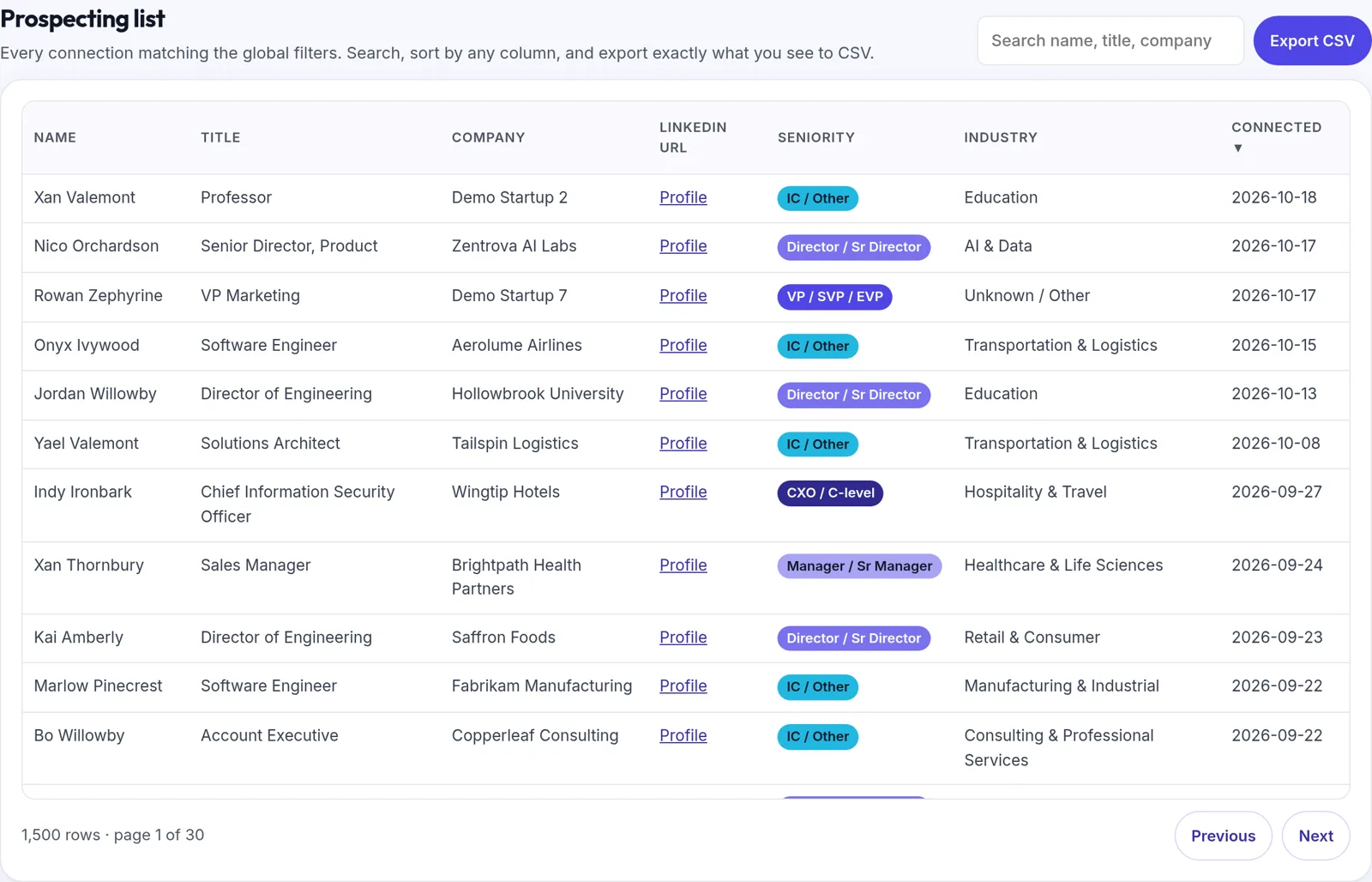
Prospecting list with CSV export
Filter by seniority, industry, company or date, then download the filtered list as a CSV for your CRM or sequencing tool.
Outreach readout and manager summary
Invitations sent and the share with a personal note, message activity by month (counts only, never message text), and a quarterly scorecard a sales leader can review with a rep.
How to get your LinkedIn export
- On a computer, sign in to LinkedIn and click the Me icon at the top of the page.
- Select Settings & Privacy.
- Click Data privacy on the left.
- Under How LinkedIn uses your data, click Get a copy of your data (some accounts show Download your data).
- Choose the larger data archive for the full readout, or pick specific files such as Connections and Invitations, then click Request archive.
- LinkedIn emails you a download link: usually within minutes for specific files and within 24 hours for the larger archive. The link works for 72 hours.
- Unlock the readout, open Network Insights and drop in the .zip, or just Connections.csv. Nothing is uploaded.
LinkedIn's menus change from time to time. The official instructions are on LinkedIn Help: Download your account data and Export connections from LinkedIn. Some connections choose not to share their email address, so those emails will be missing from the export.
How we infer seniority and industry
LinkedIn's export includes each connection's current title and company but no seniority or industry, so both are inferred with transparent rules you can read.
Seniority, from the title
- CXO / C-level: Chief titles and C-suite acronyms (CEO, CFO, CRO and so on), founders, owners, presidents, managing or general partners and board chairs.
- VP / SVP / EVP: vice presidents, Head of, managing directors and general managers.
- Director / Sr Director: directors, chiefs of staff and partners.
- Manager / Sr Manager: managers and supervisors. Role-name titles such as Account Manager or Product Manager count as IC because they rarely manage people.
- IC / Other for any other title, and Unknown when the title is blank.
Industry, from the company
- A short reference list of widely known brands.
- Keywords in the company name, such as Bank, Health or Logistics.
- Strong title cues only, such as nurse, professor or attorney. Job functions like sales or security are not used, because they say little about the employer.
- Company peers: if most people at a company were assigned an industry, the rest follow.
- Anything left is shown honestly as Unknown / Other.
Data notes
- Titles and companies are as of your export, not as of when you connected.
- The export has no removals, so "net new" means connections added.
- There is no location field, so there is no map view.
- Invitations cover only the period LinkedIn keeps. Notes are reduced to yes or no.
- Messages are counted by conversation and date only. Message text is never read into the readout.
- The tool shows its own coverage numbers, such as how many connections have an Unknown industry, so you can judge the inferences for yourself.
Try it free on demo data. Your own readout is $49.
Network Insights readout
$49 one-time
- Load your own LinkedIn export, as often as you like
- Every chart, the prospect list with CSV export, the outreach readout and the manager summary
- Read only in your browser; tied to your Cashewleads sign-in
Included with LinkedIn Intelligence
$20 per user / month
- Network Insights included for every seat
- Weekly snapshots and what changed since last week
- Target-account matching and a manager view across your team
The demo readout is free and needs no sign-up. Prices in USD.
Turn your network into booked meetings
Network Insights shows who you know. Cashewleads books qualified meetings with the buyers you want to know. See how it works in the Live Demo, or book a demo with our team.